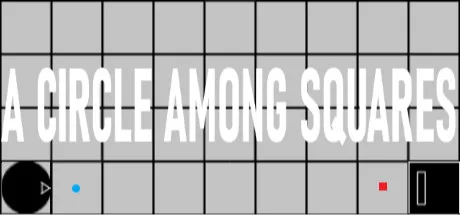
You're a circle. You're the good guy. But you're surrounded by squares. Some are irrelevant. Others are useful and/or annoying. Then there are the black squares. They want to kill you. They are the bad guys. Be a good guy and pulverize those baddies, will you? Survive and shoot all enemies in 200 levels (or make them shoot themselves). Each level cleared opens the next one permanently (autosave). Enemies come in a variety of types, speeds and action patterns, while other squares do a multitude of things, ranging from reflecting bullets to teleporting you. Enemies are killed with a single hit, and so do you. Failing a level has no consequences. While the first levels are easy and often, very quick, difficulty increases greatly in later levels. Game Elements This is you. You shoot in the same direction the arrow is facing. This is the floor. Anyone can move freely above those squares. This is the bullet you shoot. This is an enemy. The rectangle indicates the direction it will shoot. This is an enemy. It shoots in 4 directions simultaneously. This is the bullet enemies shoot. This is an enemy. Instead of shooting, it may kill you by touch. This is a block. Nothing can pass or destroy it. This a reflective block. Nothing can pass it and bullets are reflected. This is a selective block. Only enemy bullets may pass it. This is a selective block. Only bullets coming from the same direction the arrow is facing may pass it. Has 4 variations. This is a reflective/deflective block. Depending on the direction of the bullet, it may turn 90º or be reflected. Has 4 variations. This is a teleportation square. It always comes in a single pair and only you can step over it. This is a hole. It blocks movement but not bullets. Features 200 Levels 3 Types of Enemies Enemies' speed and shooting rate may vary between slow and very quick Enemies may have predetermined movement, follow or flee you or be static Block, reflection, deflection and teleport elements Autosave Minimalist design Game Walkthrough inside game files - video 100 Achievements Xbox Controller Support Keyboard Controls There's no mouse input. Start/Confirm/Shoot: Space/Enter Move: Up/Left/Down/Right, W/A/S/D, Numpad 8/4/2/6 Exit: Esc Raise sound volume: M Lower sound volume: L Xbox Controller Controls Start/Confirm/Shoot: A Move: Arrow Buttons/Left Analog Stick Exit: Select Raise sound volume: RB Lower sound volume: LB